Assignment given by techolution to be completed under 12 hrs
Solution explanation
Supervisor (track trips web design)

One of the problems that the supervisors were facing as mentioned in the given document is that they find it difficult to get a quick overview of which driver serves which route and whether if all the employees are actually being picked up as planned or not. Therefore I have come up with the above designs for the supervisor where they can not only get insight about which driver is serving which route but they will also be able to track whether employees are being picked up as planned through the “Pickup Status “ feature. Here the green tick will come once the person has provided his/her system generated otp details to the driver. As soon as the driver enters the otp into the mobile app it confirms the successful pickup of the employee to whom the otp was associated. Also the above dashboard holds information about the employees using employee id field and contains driver details through which it is easy to identify cab drivers and the employees using their services altogether .
Supervisor (cab management web design)

Also it is the work of the supervisors to add details about the new cab, manage the information about the cabs in service and details about the drivers associated with the service. Therefore considering all these points in mind I have come up with the above web design. Here If we look at the Action tab there two icons. The first icon is edit icon option through which we can easily update the existing details within the system. The second icon is the delete icon kept for deleting information about the cabs and drivers which are no longer in service.
Supervisor (Login web design)
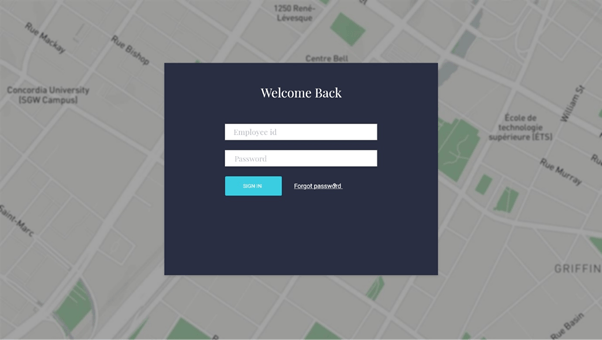
Here there is nothing to explain much but using the above screen the supervisors can successfully login to the system using their employee id and password in order to perform their tasks.
Cab drivers upcoming trips (mobile design)

Drivers after signing into the system will we directly be redirected to the above screen showing their upcoming trips. Also by clicking the history tab they can easily find the details of previously assigned trips.
Cab drivers (trip details extension)

In the previous screen only brief information about assigned trip is shown. Once the driver clicks the currently assigned trip he will be redirected to the above design wherein he will get the complete information about the number of pickups and from which location in a single trip. By clicking the “Let’s go” option the driver can easily start the trip and will be redirected to nearest first pickup location. Before going further from the first pick up point the driver has to enter the otp number which the employee holds for the successful pickup confirmation.
cab drivers route mapping and employees information

One of the problem that was discussed in the given document is difficulty in identifying the employee. The above design solves this problem as we can see the driver has easy access to employee id of the passenger, his phone number and also have the option of sending a text message to the employee in case he/she is not picking up the call. Also in the above design we can see the live map which is beneficial for the driver when he has been assigned a new route.
Cab driver (account details)

There is a menu icon on the top right corner of the mobile application if clicked will give the above mobile design and also the option of logout from the device. If we look below the profile image we can see number of trips completed by the driver.
Employee (cab scheduling)

Once the employee signs into the system he will see the above design. Here by providing the pickup, destination location details along with the date and time of the commute they can book the cabs according to their convenience.
Employee (weekly confirmation)
In the “Cab Scheduling” as soon as the employee clicks the confirm pickup he will be shown the below given popup asking them whether they want to keep this booking for the whole week or not. If clicked yes it will be booked for the whole week for working days and if the signs into the app again he will not be asked to fill or schedule the cab details for the week but will be directly redirected to upcoming trip mobile design.

Employee upcoming trips

The above design shows the upcoming trip which the candidate has scheduled and by clicking the history tab can see the details about the previous trips. Here we have provided the otp number on the top right corner for the user convenience.
Employee (How long, Cancellation, late logout option, colleagues information)

In the upcoming trips option the candidate can click the recent upcoming trip and will be redirected to the above mobile screen showing him information about the how far is the cab, colleague’s information etc. Here also we have provided the late logout option and if the candidate clicks that option his cab will be rescheduled accordingly therefore minimizing the delays. Also providing the information about the colleagues riding in the same cab makes it easy for the passenger to get details of the ride from fellow colleague incase driver may not be able to pick calls. Here we have also provided the option of cancel for cancelling the ride.
Employee (Cancellation popup)

If the candidate has decided to cancel his/her ride he will be asked for the reasons to do so and therefore he will see the above mobile screen.

 Siddhartha Kwatra